
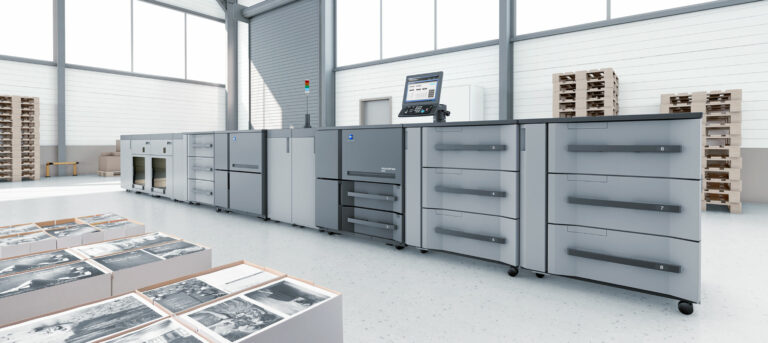

bizhub 360i Refurbished Printers
KM Connect South Africa

bizhub 360i Refurbished Printers
A refurbished bizhub 360i is an A3 black and white i-Series multifunctional at a refurbished price. It prints at 36 pages a minute on A4 and 18 on A3, runs from a 10.1 inch tablet-style touch panel and stores jobs on a 256 GB SSD. Konica Minolta rates it for 33,000 pages a month, so it suits offices that want i-Series features without buying new.
- 36 ppm
- A3 mono MFP
- 4.6 sec first page
- 10.1 inch touch panel
- 256 GB SSD
- 8 GB memory
- 1,150 to 6,650 sheets
- 150-sheet bypass
- SRA3 and 1.2 m banners
- 33,000 pages a month


Key Features
- 36 ppm A4 and 18 ppm A3 mono output, with the same 36 ppm in automatic duplex
- First page out in 4.6 seconds and warm-up in about 12 seconds
- Choice of 100-sheet reversing or dual scan document feeder; the dual scan option scans up to 200 ipm in duplex
- 10.1 inch tablet-style multi-touch colour panel that tilts for easier use
- Quad core CPU with 8 GB memory and a 256 GB SSD as standard, plus an optional 1 TB SSD
- Two 500-sheet trays and a 150-sheet bypass give 1,150 sheets as standard, expandable to 6,650 sheets
- Prints A6 to SRA3 on 52-300 g/m² paper, including banners up to 1.2 metres
- Optional finishing with 50-sheet stapling, 2/4 hole punching, letter-fold and 20-sheet booklets
- Built-in AES 256 disk encryption, secure print and user authentication, with optional Bitdefender real-time antivirus
- Rated for a recommended 33,000 pages a month, with toner yielding up to 25,000 pages
Functionalities
- Direct print Driverless printing of PDF, XPS, DOCX, XLSX, PPTX, JPEG, TIFF, PS and PCL files
- Mobile printing Print from phones and tablets via AirPrint, Mopria and Konica Minolta Mobile Print
- Smart job queue Jobs that cannot print, for example because a paper size is unavailable, are bypassed so the next jobs keep running
- Carbon Copy print Prints single pages from several trays in one job
- MyTab Customise the printer driver around the settings you use most
- Toner save mode Reduces toner use, for example on draft prints
Copy
- Blank page removal Automatically deletes blank pages, for example when copying mixed simplex and duplex originals
- Card shot Copies the front and back of an ID-style original onto one page
- Copy protection Adds a hidden background watermark that appears on copies
Scan
- Scan-to-Me and Scan-to-Home Scan straight to your own e-mail address or SMB folder using Active Directory details
- Scan preview Real-time preview of scanned originals before sending
- Mixed original scanning Scans originals of different sizes in one job
- Scan programs Saves preset settings for regular scan jobs
- Scan destinations E-mail, SMB, FTP, user box, USB, WebDAV, DPWS, URL and TWAIN, with 2,000 destinations and LDAP support
Box
- User boxes Store up to 3,000 documents or 10,000 pages in public, personal or group boxes
- System boxes Dedicated boxes for secure print, encrypted PDF print, fax receipt and fax polling
- Online access Access user box files through a web browser or utility
- Auto deletion Files in a user box are deleted after a set period
Security
- Data encryption AES 256 hard drive encryption, hard drive overwrite and print user data encryption
- Authentication Password, user name and password, ID card or finger vein authentication (card reader and finger vein scanner optional)
- Network protection IP filtering and port blocking, SSL/TLS, IPsec, IEEE 802.1x and Kerberos support
- Antivirus (optional) Embedded Bitdefender engine scans incoming and outgoing data in real time (LK-116)
- bizhub SECURE Security consultancy and device set-up from Konica Minolta
Fax
- Fax forwarding Incoming faxes can be forwarded by e-mail or to a network folder instead of printing
- IP-Fax Network faxing between Konica Minolta devices in colour or black and white
- PC-Fax Send faxes directly from a PC
- Tray selection Choose input and output trays for incoming faxes
Specifications
System
| Print/copy speed A4 | Up to 36 ppm |
|---|---|
| Print/copy speed A3 | Up to 18 ppm |
| Duplex speed A4 | Up to 36 ppm |
| First page out time (A4) | 4.6 sec. |
| Warm-up time | Approx. 12 sec. (may vary with operating environment and usage) |
| Imaging technology | Laser |
| Toner technology | Simitri V polymerised toner |
| Control panel | 10.1 inch colour multi-touch panel, 1024 x 600 |
| Panel tilt | Tiltable touchscreen panel |
| Processor | Quad core CPU |
| System memory | 8,192 MB (standard/max) |
| Storage | 256 GB SSD standard; 1 TB SSD optional (EM-908) |
| Interfaces | 10/100/1,000-Base-T Ethernet; USB 2.0; Wi-Fi 802.11 b/g/n/ac (optional) |
| Network protocols | TCP/IP (IPv4/IPv6); SMB; LPD; IPP; SNMP; HTTP(S); Bonjour |
Copier
| Copy resolution | 600 x 600 dpi |
|---|---|
| Gradation | 256 gradations |
| Multicopy | 1-9,999 |
| Original format | Max. A3 |
| Magnification | 25-400% in 0.1% steps; auto zoom |
Printer
| Print resolution | 1,800 (equivalent) x 600 dpi; 1200 x 1200 dpi |
|---|---|
| Page description languages | PCL 6 (XL3.0); PCL 5c; PostScript 3 (CPSI 3016); XPS |
| Operating systems | Windows 7, 8.1, 10 (32/64); Windows Server 2008 to 2019; macOS 10.10 or later; Linux |
| Printer fonts | 80 PCL Latin; 137 PostScript 3 emulation Latin |
| Mobile printing | AirPrint (iOS); Mopria (Android); Konica Minolta Print Service (Android); Konica Minolta Mobile Print (iOS/Android); optional Wi-Fi Direct |
| Direct print | Driverless printing of PDF, XPS, DOCX, XLSX, PPTX, JPEG, TIFF, PS and PCL |
Scanner
| Scan speed | Up to 100/100 ipm simplex, up to 200/200 ipm duplex (mono/colour) |
|---|---|
| Document feeder | Optional: DF-632 reversing ADF or DF-714 dual scan ADF, up to 100 originals; A6 to A3; 35-163 g/m²; OC-511 original cover as the alternative |
| ADF double feed detection | Standard with the dual scan ADF |
| Scan resolution | Up to 600 x 600 dpi |
| Scan modes | Scan-to-eMail (Scan-to-Me); Scan-to-SMB (Scan-to-Home); Scan-to-FTP; Scan-to-Box; Scan-to-USB; Scan-to-WebDAV; Scan-to-DPWS; Scan-to-URL; TWAIN scan |
| File formats | JPEG; TIFF; PDF; Compact PDF; Encrypted PDF; XPS; Compact XPS; PPTX; PDF/A 1a and 1b; optional searchable PDF and searchable DOCX/PPTX/XLSX |
| Scan destinations | 2,000 destinations + 100 groups; LDAP support |
Fax
| Fax standard | Super G3 (optional, FK-514 fax board) |
|---|---|
| Fax transmission | Analogue; i-Fax; Colour i-Fax; IP-Fax |
| Fax resolution | Up to 600 x 600 dpi |
| Fax compression | MH; MR; MMR; JBIG |
| Fax modem | Up to 33.6 Kbps |
| Fax destinations | 2,000 single + 100 groups |
Paper handling
| Printable paper sizes | A6 to SRA3; custom sizes; banner up to 1,200 x 297 mm |
|---|---|
| Printable paper weight | 52-300 g/m² |
| Paper input capacity | 1,150 sheets standard; 6,650 sheets max |
| Standard trays | 1 x 500 sheets, A6 to A3; 1 x 500 sheets, A5 to SRA3; custom sizes; 52-256 g/m² |
| Manual bypass | 150 sheets; A6 to SRA3; custom sizes; banner; 60-300 g/m² |
| Optional trays | 1 x 500 or 2 x 500 sheets, A5 to A3; 2,500-sheet A4 tank tray; 1,500 + 1,000-sheet tandem tray, A5 to A4; all 52-256 g/m² |
| Large capacity tray | Optional 3,000 sheets A4; 52-256 g/m² |
| Automatic duplex | Standard; A6 to SRA3; 52-256 g/m² |
Finishing
| Output capacity | Up to 250 sheets standard; up to 3,300 sheets max |
|---|---|
| Finishing modes | Optional: offset; group; sort; staple; offline staple; punch; half-fold; letter-fold; booklet |
| Stapling | Max. 50 sheets or 48 sheets + 2 covers (up to 209 g/m²); max. 100 sets |
| Letter fold | Max. 3 sheets; max. 30 sets (unlimited without tray) |
| Booklet | Max. 20 sheets or 19 sheets + 1 cover (up to 209 g/m²); max. 20 booklets (unlimited without tray) |
Consumables and volumes
| Toner yield | Black up to 25,000 pages (6% coverage of A4) |
|---|---|
| Imaging unit life | Black up to 245,000 pages (drum) / 1,000,000 pages (developer) |
General
| User box storage | Up to 3,000 documents or 10,000 pages |
|---|---|
| User accounts | Up to 1,000 user accounts; Active Directory support |
| Recommended monthly volume | 33,000 pages |
| Maximum monthly volume | 175,000 pages |
| Power requirements | 220-240 V / 50/60 Hz |
| Power consumption | Less than 1.58 kW |
| Dimensions (W x D x H) | 615 x 688 x 779 mm (without options) |
| Weight | Approx. 76.0 kg (without options) |
Source: Konica Minolta bizhub 360i product documentation. Figures are for the standard configuration; options change some of them, and we confirm the exact configuration with your quote.
System Features
- FK-514 fax board for Super G3 fax (up to two); LK-117 adds fax over IP (T.38)
- UK-221 wireless LAN with access point mode
- PC-116 500-sheet or PC-216 2 x 500-sheet universal tray, A5 to A3
- PC-416 2,500-sheet A4 tank tray or PC-417 1,500 + 1,000-sheet tandem tray; DK-516x copier desk
- LU-302 3,000-sheet A4 large capacity tray; BT-C1e banner tray
- IM-102 intelligent media sensor detects paper weight and type
- DF-632 reversing document feeder or DF-714 dual scan document feeder (100 originals); OC-511 original cover
- FS-533 inner finisher (50-sheet stapling, 500 sheets output) with PK-519 2/4 hole punch
- FS-539 staple finisher (50-sheet stapling, 3,200 sheets output) or FS-539SD booklet finisher (2,200 sheets output) with PK-524 punch kit; RU-513 relay unit
- JS-506 job separator
- EM-908 replacement 1 TB SSD
- LK-105v4 OCR for searchable PDF and PPTX; LK-110v2 document converter for DOCX, XLSX and PDF/A
- LK-114 serverless pull printing; LK-115v2 Trusted Platform Module; LK-116 Bitdefender antivirus
- AU-102 finger vein scanner or ID card reader with MK-735 mount kit
- SC-509 security kit (Copy Guard); KP-102 10-key pad; WT-506 working table; KH-102 keyboard holder; EK-608/EK-609 USB I/F kits
- CU-102 air cleaning unit
Who a refurbished bizhub 360i suits
Rated for 33,000 pages a month with a maximum of 175,000, a refurbished 360i suits busy offices, schools and practices that print a lot of black and white and want a first page in 4.6 seconds.
Compare all our refurbished multifunctional printers, or see the bizhub 360i specifications as a new machine.
What you get with the bizhub 360i
- 36 ppm. 18 ppm on A3, double-sided at full speed.
- Modern panel. A tiltable 10.1 inch multi-touch screen.
- Paper flexibility. 1,150 sheets as standard, up to 6,650, from A6 to SRA3.
- Finishing if fitted. Optional stapling and 20-sheet booklets. Fitted options vary from unit to unit, so we confirm the configuration with your quote.
View more Refurbished Multifunctional Printers Available.
Experience unlimited possibilities and solutions when dealing with KM Connect SA.
Contact our authorised dealer’s team today.
Buying this refurbished bizhub 360i
A refurbished bizhub 360i gives you an i-Series A3 mono machine with SSD storage and a tablet-style panel at a refurbished price. Every unit is checked and serviced before it leaves us, and is backed by our refurbishment and service process. Request this unit’s price for current availability, configuration and meter reading.
Estimated price range
Estimated market range R12,000-R22,000 (2026 SA dealer listings). No two refurbished units are identical: condition grade, meter reading and configuration set the final figure, and we confirm the exact price for the specific machine with your quote.
Condition, meter reading and delivery
Condition and meter reading are confirmed per unit before sale. Every machine passes through our refurbishment process, and we deliver from Randburg across Gauteng and nationwide. Request a quote for the current unit’s details.
Frequently asked questions
Is a refurbished bizhub 360i still a good buy?
Yes, for offices printing up to about 33,000 pages a month. It is an i-Series machine with a 10.1 inch panel and SSD storage. Konica Minolta has replaced it with a newer model, so refurbished is the way to get a 360i.
Can the bizhub 360i print in colour?
No. It prints and copies in black and white only, but it scans in colour. For colour printing, ask us about a refurbished colour bizhub.
What condition is a refurbished bizhub 360i in?
Each unit is checked and serviced by KM Connect SA before sale. Condition grade, meter reading and fitted options differ from unit to unit, so we confirm the details of the specific machine with your quote.
Do you deliver and install it?
Yes. We deliver from Randburg across Gauteng and nationwide, install the machine on your network and show your staff how to use it. Delivery timing depends on your location, so we confirm it with your quote.